

The URL, bare and complete
The base is this one: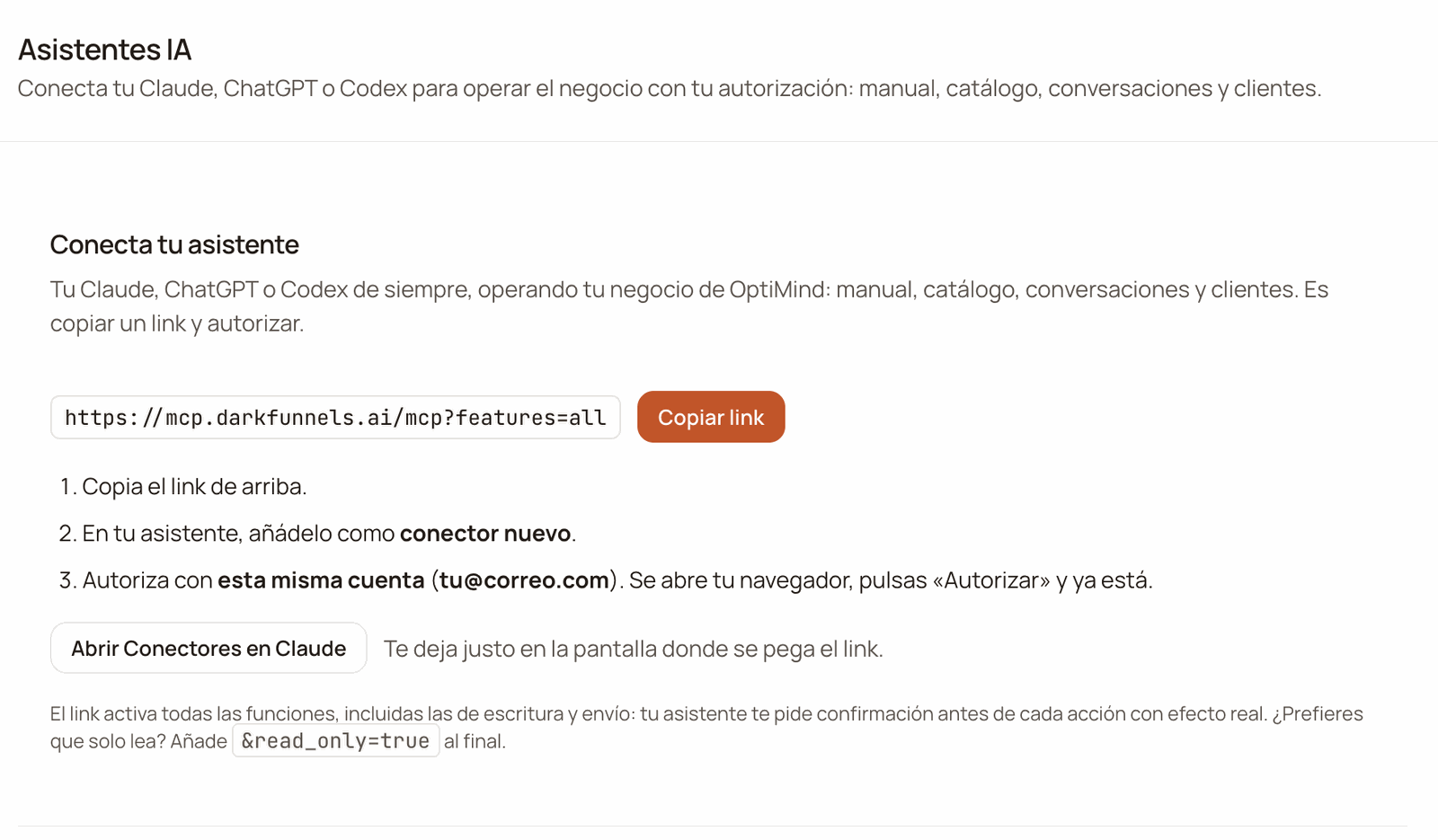
The «Conecta tu asistente» (Connect your assistant) card: the full link, the «Copiar link» (Copy link) button, the three steps and, at the bottom, how to make it read-only.
How to build it
Start from the base
https://mcp.darkfunnels.ai/mcp, or the dashboard’s, which already comes
with ?features=all.Choose which groups travel
?features= with the groups separated by commas, or all for all of
them. The groups are in the next section.Add the other parameters
? and the following ones after &. For example:
?features=all&read_only=true.Connect
ALL, True or FULL, the parameter has no effect.?features= — which tool groups travel
The bridge’s tools come in groups. Without this parameter, the default set
travels: core, manual, catalog and conversations, plus the reads of
some apps that only appear in certain accounts. Everything else has to be asked
for.
If your account has one of those apps and you use a list, name its group too:
you’ll find it in the Tools reference.
The last column says which access you need in your business. They are the names
of the switches in Personas y accesos (“People and access”).
Included by default
coretravels with any URL, even if you don’t name it.- Writing brings reading.
manual_writealso bringsmanual, andcatalog_writebringscatalog: to rewrite something, your assistant has to be able to read it first. - A misspelled name is ignored without warning. If no valid one is left in your list, you go back to the default set.
?features=all turns on all the groups, including the ones we publish
later on. It’s the URL the dashboard gives you and the one in the quickstarts:
the one you don’t have to touch again.
all doesn’t give you more permissions. Out of all those groups, your
assistant gets only what your account can use in that business. In exchange,
it also connects the destructive writes. Those actions travel marked as
destructive, and assistants usually use that mark to ask you for confirmation.
If you want it only to look, add &read_only=true.
?read_only=true — the handbrake
It disables every write and overrides any other option, all included.
It’s for letting your assistant look without being able to touch.
true, 1, TRUE or yes mean read-only. Only
false, 0, no or off leave it off, and when a value can’t be understood
the bridge stays read-only: when in doubt, it doesn’t write.?pii=full — full phone numbers
By default, your customers’ phone number arrives masked: 51•••••4321. It
keeps the country hint and the last four digits, enough to recognize a number
you already know. With pii=full it arrives whole:
pii=FULL, leaves the phone masked. The details
and the why, in Security.
?agent=<uuid> — pinning a funnel
If you have several funnels, almost every tool needs to know which one you
mean. This parameter sets one as the connection’s default funnel, and your
assistant stops asking you. With a single funnel you don’t need it: that one is
used.
What the URL does not decide
Your permissions and your business’s apps
Your assistant gets in with your account and with your permissions. Of what the URL asks for, it gets the tools of the apps that you can use in that business and that the business has active. And if another one ever appeared to it, it couldn’t use it. It’s the rule of your dashboard menu: whatever your account can’t open there, your assistant can’t use either. That’s why two people with the same URL can see different lists. For example, someone on your team who only has Órdenes, connected with the bare URL, sees only the basics: who they are, which business they work in, the quick product help and logging requests. To read orders they need?features=orders
or all. For stock, they also need access to Inventario.
- If your assistant tries a tool without permission, or from an app that’s switched off, it gets a notice that it doesn’t have that access and does nothing. The notice may name the app differently from the switch: for orders it says «Pedidos», while the switch is called Órdenes (both mean “Orders”); for the balance it says «Saldo y consumo» (“Balance and usage”), while the switch is Ver saldo y facturación.
- Permissions are given by whoever manages your team, in Personas y accesos. Apps are switched on in Administración → Apps (“Administration → Apps”).
- If you were just given a permission, wait a minute and open a new chat in your assistant.
The business the connection works in
If your account is in several businesses, each connection stays pinned to the business you had active when you connected it, and it works with your permissions in that business. If your account is in only one, this changes nothing for you. If your active business changes later on, because you chose another one in your account menu or because you accepted another business’s invitation (when you accept it, that business becomes the active one):- Its writes are rejected without running, so that nothing gets saved in the wrong business. The notice says which business the connection works in and which one you have active now.
- Its reads keep working, but they show the data of the business you have active now.
- Choose that business again in your account menu, with Cambiar a esta empresa (“Switch to this business”). The connection carries on as before, without reconnecting.
- Disconnect the connector and connect it again. The new connection stays pinned to the business you have active when you connect it: if you want to work in another one, switch first in your account menu.
Usage limits
- Per account. If your assistant goes over 60 requests in a minute or 300 in an hour, the bridge holds it back and replies «rate limit; reintenta en N s» (“rate limit; retry in N s”). It counts what you do with all your assistants together. It happens above all with batch jobs, like reviewing hundreds of chats in a row. The wait is the one N says: a few seconds if it went over the per-minute cap, and up to an hour if it went over the hourly one. For big jobs, ask it to go in parts.
- Per business. There’s a daily quota of tool calls — by default, 20,000 — that resets at midnight, Lima time. If it runs out, your assistant tells you. If your business needs more, write to us.
Changing the URL afterwards
Changing any of these parameters requires reconnecting: in your assistant, delete the connector you had and add it with the new URL. Careful if you’re in several businesses: the new connection stays pinned to the business you have active when you connect it. Choose the business in your account menu first. Don’t confuse that with new tools. The tool list is frozen per conversation: if we add one, or you were just given a permission, and it doesn’t show up, opening a new chat is normally enough. If it still doesn’t show up in a new chat, delete the connector and connect it again. Reconnecting is needed when the URL changes, when you want the connection to work in another business and after revoking access.Cutting off access
Open Asistentes IA
Click Revocar
Done
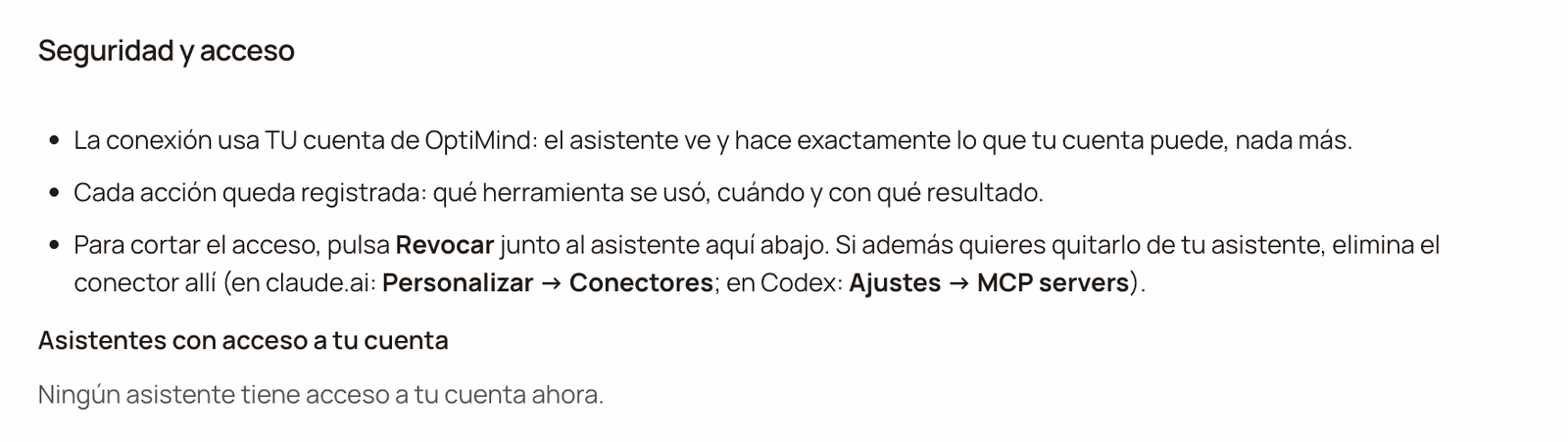
«Seguridad y acceso» (Security and access): how the connection is protected and the «Asistentes con acceso a tu cuenta» (Assistants with access to your account) list. In this screenshot it is empty; each assistant you authorize shows up there with its «Revocar» (Revoke) button.
If something goes wrong
I added a parameter and my assistant lost features
I added a parameter and my assistant lost features
?features= and
it replaced the default set, or when reconnecting you left out what you had
before. Rebuild the URL with everything together, for example
?features=all&pii=full, and reconnect.My assistant doesn't see a tool it should
My assistant doesn't see a tool it should
- The group isn’t in your URL, or your URL has
read_only=true, which removes all writes. Look for it in the tables above. - You don’t have access to that app, or it’s switched off in your business. Ask it “which business are you working in, and with what permissions?”.
- It’s an old chat. Open a new one.
- It still doesn’t show up. Delete the connector and connect it again.
It won't save: it says the account changed business
It won't save: it says the account changed business
I changed the URL and nothing changed
I changed the URL and nothing changed
pii=FULL has no effect: it goes in lowercase (read_only
does turn on with any value that isn’t a “no”). An incomplete agent= is
ignored too. Fix it and reconnect.It can't see your data, or sees it empty
It can't see your data, or sees it empty
optimind.darkfunnels.ai
with the right account (sign out of the other session first if needed) and
connect it again. When you authorize, the screen says «Autorizas como»
(“You are authorizing as”) and your email: check that it’s yours. If the
account is the right one, ask it which business it’s working in.It says «rate limit; reintenta en N s» (rate limit; retry in N s)
It says «rate limit; reintenta en N s» (rate limit; retry in N s)
It says the business has reached its daily quota
It says the business has reached its daily quota